From the blog

Learn how to grow your business with our expert advice.

10 Hidden Migration Traps Teams Hit When Updating to Angular 21 (And How To Avoid Them)

Angular 21 delivers jaw-dropping perks like 30% faster builds via esbuild/Vite, zoneless apps that ditch Zone.js bloat for snappier performance, and signal forms that promise reactive nirvana — but real-world migrations turn into nightmares fast. Picture deploying with excitement, only for DOM updates to ghost your UI silently, tests to erupt in NG0100 errors overnight, and third-party libs to throw peer dependency tantrums that halt everything in its tracks; these traps derail 70% of teams, wasting weeks on debugging ghosts instead of shipping features.​ This article exposes 10 overlooked pitfalls pulled straight from upgrade battle scars, packed with straightforward workflow fixes that keep devs coding, leads coordinating, managers dodging risks, and stakeholders seeing real ROI — without boring code deep dives or SSR tangents. From taming infinite change loops and HttpClient surprises to mastering signal swaps and validation playbooks, you’ll get conversational, punchy strategies to navigate the chaos, benchmark your wins, and emerge with a leaner, faster app that actually delivers on Angular 21’s hype. Preparation Traps Imagine your dev team, full of enthusiasm, diving straight into an Angular 21 upgrade without a proper check-up first. They skip the audit and bam — hit deprecated APIs like provideAnimationsAsync or those old Zone.js dependencies that just don't vibe with the shiny new zoneless mode that's now the default. It's like hopping into a race car without inspecting the tires; you might look fast at first, but one bump and you're spinning out, spending days untangling messes that a 30-minute review could've avoided. Managers, this is where budgets balloon because devs chase ghosts instead of building features.​ Trap 1: Leaping Over Versions Like a Frog on Steroids Have you ever heard a story where someone tries jumping from Angular 18 directly to 21? It’s a classic tale of woe, stirring up a whirlwind of dependency conflicts and breaking changes piled up from every version they skipped. Picture this: your angular.json file loaded with outdated configs, peer dependencies screaming mismatches, and builds failing in mysterious ways because each major release — like 19 or 20 — had its own quirky migrations you never touched. Stakeholders, this isn’t just a dev hiccup; it delays launches, frustrates teams, and turns a weekend update into a month-long saga. I’ve seen projects where skipping steps led to total rewrites of routing or forms modules — don’t let that be you.​ Trap 2: Third-Party Library Blind Spots That Bite Hard We all rely on those trusty libraries like PrimeNG for slick themes or Angular Material for consistent UI magic, right? But here’s the kicker: if they’re not updated for Angular 21, your styles evaporate, components throw runtime tantrums, and suddenly your app resembles a glitchy prototype from the early 2000s. These tools need to sync with Angular’s Ivy rendering engine and the zoneless shift, or errors cascade like dominoes — think broken dropdowns or invisible buttons. For non-tech folks, imagine outsourcing your kitchen remodel but the plumber shows up with 1990s pipes; it just won’t fit the modern setup. Always peek at their GitHub release notes or compatibility tables first — it’s a five-minute save that prevents weeks of pain.​ Trap 3: Forgotten Dependency Lifelines Draining Your Momentum Mid-upgrade, everything’s humming along until… a forgotten package with no LTS support rears its head, slamming your build with vulnerability alerts or TypeScript complaints that grind everything to a halt. In enterprise apps, third-party deps often make up 70% of your codebase, hiding in node_modules like landmines waiting to explode. Directors, this trap hits ROI hard — abandoned libs mean security risks and forced forks, pulling resources from innovation. Run that npm outdated command early and often; it's your early warning system, spotlighting the zombies before they feast on your timeline.​ How to Dodge These Pitfalls and Upgrade Like Pros Ready to outsmart these traps? Start simple: fire up ng version in your project root to get a crystal-clear snapshot of where you stand today. Next, snag the Angular 21 CLI globally with npm i -g @angular/cli@21—think of it as sharpening your tools before swinging the hammer. Then, the golden rule: use ng update incrementally, tackling one major version at a time (18 to 19, then 19 to 20, and so on), and commit your code after each successful step. This way, if smoke starts billowing, you roll back with a single git command, no sweat. For third-parties, comb npm pages or their repos for that sweet "Angular 21 compatible" badge, and prioritize LTS-supported ones—they're built for the long game, keeping your app secure and future-proof. Non-devs, treat this like a checklist before a big trip: tires, oil, spare—check, check, check. Follow this, and your upgrade becomes a victory lap, not a cautionary tale. Build & Configuration Traps Angular 21 is like that friend who shows up to the party with a total makeover — you love the new vibe, but if you don’t update your wardrobe to match, things get awkward fast. The big push here is migrating from the old-school browser builder (powered by webpack) to the sleek application builder, which runs on esbuild and Vite for lightning-fast builds. Problem is, teams often skip this step or half-ass it, and suddenly webpack-specific tricks like those tilde (~) imports in your SCSS files (@import '~some-package/styles';) just... vanish. No error messages, no drama—just your stylesheets loading blank, leaving your app looking like a wireframe from 1999. The new system doesn't play nice with webpack's magic path resolution, so those tildes fail silently while your users wonder why the site looks naked.​ Trap 4: Your angular.json is Still Living in the Past Let’s paint a picture: You’re cruising through the upgrade, feeling good, but your angular.json is stuck in webpack land. Polyfills are listed as a single string path instead of an array of files? Check. Missing "esModuleInterop": true in tsconfig.json or tsconfig.app.json? Double check. Next thing you know, ESM import errors explode during ng build—stuff like "Cannot use import statement outside a module" or namespace import crashes because TypeScript and esbuild expect strict ESM rules, not webpack's forgiving namespace hacks (think import * as moment from 'moment'; blowing up at runtime).​ The automated migration schematics are your best buddy here — they swap browser to application, merge tsconfig.server.json into the app config, nuke obsolete options like buildOptimizer, vendorChunk, and commonChunk, and even tweak server code for ESM compatibility (ditching require for import). But every app's a snowflake, so manual spot-checks are non-negotiable. Fire up ng build immediately after the migration, and watch for those helpful error messages that suggest fixes. Pro tip: If you're on SSR, scrub any CommonJS assumptions like __dirname from your server.ts—third-party deps might still sneak them in, but your code needs to be pure ESM.​ Trap 5: CI/CD Pipelines Throw a Tantrum Over Folder Shenanigans Here’s where it gets sneaky. The application builder reorganizes your dist folder like a Marie Kondo enthusiast: client bundles go into dist/<project>/browser, SSR/server stuff hits /server, and assets land in /media. Sounds organized, right? Wrong—if your Jenkins, GitHub Actions, or Vercel deploy scripts are hardcoded to grab from the old flat dist/<project>, they'll find nada and bomb your prod release harder than a dropped mic. Suddenly, your "seamless upgrade" is a weekend fire drill.​ Fix it quick: Update your pipeline YAML to target the new paths (dist/my-app/browser), or hack angular.json with custom outputPath overrides like "outputPath": { "base": "dist/my-app", "browser": "", "server": "server" } to flatten it back to legacy style without rebuilding everything. Don't sleep on this—run a full pipeline test right after migration. Bonus: If you're on prerendering or app-shell, those routes now integrate seamlessly, but your deploy scripts need the memo.​ Trap 6: Monster PRs Let Zoneless Gremlins Slip Through Upgrading to Angular 21 while refactoring builds? You’re brewing a perfect storm of 10,000-line PRs that no reviewer wants to touch. Buried in the noise: zoneless change detection pitfalls. Angular 21 makes zoneless the default for new apps (Zone.js? So 2020), relying on signals for reactivity instead of monkey-patching async ops. Impure signals or effects that don’t explicitly trigger DOM updates (no toSignal() on observables, no effect() for side effects) leave components frozen—OnPush strategies relying on timeouts or promises just sit there, unresponsive.​ Imagine: Your legacy change detection loop breaks because impure signals aren’t marked dirty without manual tick() or markForCheck(). Reviewers skim the diff, miss it, merge, deploy—boom, interactive elements ghost users. This hits hardest when bundling upgrades with the full v21 leap (signals, forms, Vitest integration). Real-world pain: Forum posts scream about DOM updates halting post-upgrade until signals get refactored.​ Your Bulletproof Escape Plan Don’t sweat it — Angular’s got your back with ng update @angular/cli --name use-application-builder. This bad boy automates 90% of the migration: builder swaps, config cleanses, SSR bootstraps, stylesheet fixes (bye, tilde/caret imports). Follow with ng build --configuration production and ng serve to smoke-test—errors now come with solution hints. Isolate upgrades in short-lived feature branches (one per trap: builds first, zoneless second) to keep PRs snack-sized and reviews sharp.​ For zoneless peace: Run signal migration schematics (ng generate @angular/core:signals) to convert observables automatically. Tweak dev server for HMR (styles/templates hot-swap out of the box), exclude pesky deps from Vite prebundling if needed, and embrace new toys like define for build-time constants or loader for custom asset handling (SVG as text? Easy). Result? Builds 5x faster, no FOUC flashes after startup tweaks, and you're primed for Angular's signal-first future. Your team high-fives, stakeholders cheer the perf gains, and no one's debugging at 2 AM. Runtime & Testing Traps​ Hey there, Angular devs and stakeholders alike — Angular 21’s big shift to zoneless change detection by default, plus way stricter error diagnostics, means your freshly migrated app might throw some curveballs you never saw coming. It’s like your app went from a chill roommate who updates the living room whenever to a strict landlord demanding explicit “update now!” permissions for every change. Getters, static vars, and lazy observables? They just ghost the DOM updates entirely. Stick with me as we unpack these top traps with real-world fixes that’ll save your sanity and your deadlines.​ Trap 7: DOM Updates Vanishing in Zoneless Mode Picture this: You tweak a getter in your component, hit save, and… crickets. The UI doesn’t budge. Welcome to zoneless Angular 21, where automatic magic is gone — getters and static variables no longer ping the change detector on their own. You gotta wire up signals to explicitly scream “redraw time!” or call ChangeDetectorRef.markForCheck() manually. And those observables with async pipes? They're yesterday's news—swap 'em for pure signals right in your templates for buttery-smooth reactivity that plays nice zoneless.​ Real talk from the trenches: One freeCodeCamp dev upgraded their dashboard app to v21, and poof — data vanished. A few hours of head-scratching later, converting to signals and adding markForCheck() in key spots brought it roaring back. It's a common gotcha, but once you embrace signals-first, your app feels snappier and more predictable, especially for mobile users.​ Trap 8: The Nightmare of Infinite Loops (NG0103) Nothing kills momentum like NG0103 blasting “Infinite change detection!” in your console. This beast loves feasting on sloppy afterRender hooks or OnPush components that keep flagging themselves as dirty without ever settling down. In zoneless land, these loops spin up faster because there's no Zone.js safety net to throttle them.​ The hero move? Ditch incremental mutations like signal.update(old => old + 1) in render callbacks—go for clean signal.set(newValue) instead. It breaks the cycle instantly. OnPush components amp up the drama here; they crave immutable inputs and deliberate check-ins, so audit your data flows ruthlessly. Pro tip: Wrap risky updates in effect() with proper cleanup to keep things stable. Teams ignoring this watch deploys crash spectacularly—don't be that story.​ Trap 9: Hidden Security Bombs in Forgotten Dependencies You nail the core Angular update, high-five the team, but skip scanning RxJS, HttpClient, or those sneaky third-party libs? Congrats, you’ve got fresh security holes and interoperability headaches waiting to pounce. Angular 21 auto-wires HttpClient now, which is awesome for newbies, but old RxJS pipeables choke on signal interop, and custom interceptors need realignment.​ Bump RxJS to v8+ pronto for seamless signal pipes, and nuke any lingering provideHttpClient() calls unless you're tweaking interceptors. Enterprise migrations? Full dependency audits are non-negotiable—tools like npm audit or Snyk catch vulns that sink security reviews. One LinkedIn post nailed it: Big orgs wasting weeks on breaches from "minor" dep drifts. Stay vigilant, and your app stays locked down.​ Trap 10: Testing Suite Imploding with Legacy Karma Post-upgrade, you run ng test and Karma wheezes like an old engine—legacy builders just don't vibe with Angular 21's application builder defaults. E2E tests flake out too, leaving you blind to prod regressions.​ Flip the script: Update angular.json to builder: '@angular/build:unit-test' with builderMode: 'application', or go full modern with Vitest migration schematics for tests that fly. Don't forget provideZonelessChangeDetection() in TestBed to unearth zoneless quirks early. Cap every cycle with ng build --prod and a quick performance profile—spike in bundle size or render loops? Fix 'em before stakeholders notice. Vitest adopters rave about 10x speedups; your CI pipeline will thank you.​ Your Bulletproof Escape Plan Ready to conquer? Bootstrap your bootstrap with provideZonelessChangeDetection() and provideCheckNoChangesConfig({exhaustive: true})—it turns debug mode into a trap detector extraordinaire. Schematic-migrate to Vitest, signal-ify every reactive bit, and hammer ng update @angular/core@21 across all deps. Profile relentlessly with Angular DevTools, and run full smoke tests zoneless.​ The payoff? A lean, lightning-fast app that’s secure, testable, and ready for scale — managers love the ROI, devs love the devex, and users? They just love the speed. Angular 21 isn’t breaking your app; it’s forcing it to level up. You’ve got this!​ Conclusion Upgrading to Angular 21 is like unlocking a turbocharged engine for your apps — think Signal Forms that make reactivity a breeze, zoneless change detection running smooth and fast by default, and even AI-powered tools that cut through dev headaches. But here’s the kicker: too many teams hit the wall with sneaky traps like jumping versions without ng update schematics (hello, broken dependencies!), skipping builder swaps from slow webpack to speedy esbuild, botching control flow changes from old *ngIf to slick @if blocks, ignoring signal rewires that crash your forms, or letting zoneless mode expose hidden leaks in legacy code. Don't forget HttpClient gotchas with outdated interceptors, zombie NgModules blocking standalone perks, Vitest clashing with Karma tests, missing ARIA tweaks for accessibility, or—worst of all—pushing untested code to prod without a dry-run first. Stick to angular.dev/update-guide to sidestep all 10 and cruise into those gains.​ Grab that guide in your bookmarks right now, spin up a quick ng update @angular/core@21 @angular/cli@21 --dry-run on a fresh branch to catch surprises early, and level up with the full Angular 21 release notes, Nx tools for monorepo magic (npx nx@latest init), or Zoaib Khan's no-BS videos walking real upgrades from Angular 13 to 21. Drop your success stories—or epic fails—in the comments below; let's help every team nail this without the drama and hit Angular 21 glory together. P.S. If you’re building a business, I put together a collection of templates and tools that help you launch faster. Check them out at ScaleSail.io. Might be worth a look. ScaleSail | Angular Automation Tools & SaaS Landing Page Templates Thanks for Reading 🙌 I hope these tips help you ship better, faster, and more maintainable frontend projects. 🛠 Landing Page Templates & Tools Ready-to-use landing pages and automation starters I built for your business.👉 Grab them here 💬 Let’s Connect on LinkedIn I share actionable insights on Angular & modern frontend development — plus behind‑the‑scenes tips from real‑world projects.👉 Join my network on LinkedIn 📣 Follow Me on X Stay updated with quick frontend tips, Angular insights, and real-time updates — plus join conversations with other developers.👉 Follow me Your support helps me create more practical guides and tools tailored for the frontend and startup community. Let’s keep building together 🚀 10 Hidden Migration Traps Teams Hit When Updating to Angular 21 (And How To Avoid Them) was originally published in JavaScript in Plain English on Medium, where people are continuing the conversation by highlighting and responding to this story.

9 Architecture Mistakes That Quietly Kill Large Angular Codebases (And How DDD Fixes Them)

Imagine touching one Angular feature and accidentally breaking ten others — that’s the nightmare of bloated codebases that start simple but spiral into chaos. Large-scale Angular apps crumble under tangled dependencies and performance drags without smart structure, but Domain-Driven Design (DDD) flips the script with bounded, evolving domains.​ You’ve probably felt that sinking feeling: a quick dashboard tweak turns into routing hell, login glitches, and bundle bloat because core services greedily pull in feature logic. DDD fixes this mess by slicing your app into isolated Bounded Contexts — like “user onboarding” versus “payment processing” — each with its own clear language to kill confusion and messy imports. Ahead, we’ll dive into the top architecture pitfalls that trap teams, then unpack DDD’s strategic maps and tactical tools to build Angular apps that scale effortlessly, stay fast, and evolve with your business. Mistakes 1–3: Core Architecture Oversights Early mistakes like skipping architecture planning doom your Angular app to scalability hell right from the start, but Domain-Driven Design (DDD) swoops in like a hero, drawing rock-solid boundaries around your business domains before the chaos even begins — imagine fencing off your yard before the weeds take over. Without that initial blueprint, your code morphs into a knotted mess that eerily copies your team’s messy org chart (yep, that’s Conway’s Law in action), turning simple updates into epic cross-team battles that drain everyone’s energy. DDD’s clever workshops, like EventStorming, transform your real business flows into tidy Nx libraries that enforce rules automatically, keeping things smooth and scalable for the long haul. Mistake 1: Diving In Without a Plan What’s Going Wrong: You kick off the project guns blazing, slapping features together wherever they seem to fit — no map, no strategy. Next thing you know, your auth code is hopelessly intertwined with products, orders are borrowing checkout smarts left and right, and dependencies form a spiderweb that’s impossible to untangle. Conway’s Law rears its head: your team’s communication silos bleed straight into the codebase, making every change feel like herding cats across departments.​ DDD Comes to the Rescue: Picture a fun EventStorming session — grab colorful sticky notes, gather the team, and map out business events like “customer adds item to cart,” “order gets shipped,” or “product gets reviewed.” Group these into bounded contexts (think self-contained worlds like “products” or “orders”). Pop each one into its own Nx library, say libs/products, and layer on ESLint tags like scope:products. Try importing from the wrong domain? Your IDE lights up with errors instantly. Your code evolves gracefully as your business does, no more nasty surprises.​ Mistake 2: Mixing Up Eager and Lazy Loading What’s Going Wrong: You think you’re doing lazy loading, but those “lazy” feature services worm their way into the core app through sneaky direct imports, ballooning your initial bundle size and welding everything together when it should split nicely. Suddenly, cart logic lives in the root injector, load times crawl, and your performance dreams shatter — lazy loading was supposed to keep things light and separate!​ DDD Comes to the Rescue: Forget providedIn: 'root' for anything domain-specific; instead, hook those services right into the lazy route providers at the route level. Amp it up with Nx's type tags—type:feature libs can only pull from type:data-access or type:ui, creating airtight domain-specific injectors. No more leaks, bundles stay lean, and your app zips along, delighting users from the first click.​ Mistake 3: Lazy Loading That’s Only Half-Baked What’s Going Wrong: You nail lazy loading for your big features, but overlook the little guys — like 404 pages, auth guards, or that crucial dashboard route. Hit a bad URL? Bam, full app reload. Dashboard pulls in shared stuff? Everything loads eager. Your bundle-splitting magic fizzles, and users stare at slow spinners.​ DDD Comes to the Rescue: Go all-in — make every single route lazy, even the basics, with loadChildren pointing straight to domain-specific route files like @myshop/products-feat-dashboard. Toss in a lazy wildcard for those 404 moments, and let Nx's Sheriff rules (or ESLint tags) stand guard, enforcing total isolation. Domains live and breathe on their own, letting teams ship independently without stepping on toes.​ Quick Fix Demo: Dashboard Makeover The Messy Before: Your dashboard component imports a bunch of shared modules, yanking the whole kitchen sink into the eager bundle — slow starts, fat downloads. The Clean After: Yank it out to libs/dashboard/feat-dashboard and lazy-load like a pro: { path: 'dashboard', loadChildren: () => import('@myshop/dashboard-feat-dashboard').then(m => m.routes)} Slap on tags (scope:dashboard, type:feature), wire up Nx rules to block any core dependency creeps, and run your tests. Instant Wins: Blazing-fast loads, seamless team handoffs, and a straight shot to microfrontends when you're ready to scale big time—no monolith meltdown in sight.​ Mistakes 4–6: Coupling and Sharing Traps Angular teams often stumble into these sneaky “coupling traps” that quietly destroy the clean boundaries Domain-Driven Design (DDD) promises. Think of it like building walls between rooms in your house — mixing shared furniture everywhere makes everything feel cramped and messy fast. These mistakes prioritize quick “DRY” wins (Don’t Repeat Yourself) over true domain isolation, but DDD flips the script: embrace some duplication to keep your codebases scalable and team-friendly.​ Mistake 4: Routing Chaos with Mixed Patterns Picture this: one developer uses loadChildren for lazy-loading entire feature modules (smart for big domains), while another slaps in eager component loads or loadComponent right next to it. Suddenly, your routes are a Frankenstein mix—hard to debug, impossible to trace across bounded contexts, and it bloats initial bundles.​ The DDD hero move? Stick to consistent domain routes mapped by context. From your app’s root app.routes.ts, always loadChildren into domain-specific route files like domains/orders/orders.routes.ts. Inside those, you can fine-tune with loadComponent for sub-features, but never mix eager loads across domains. It's like giving each business area (orders, users) its own front door—no peeking into neighbors. // app.routes.ts - Clean entry pointsexport const routes: Routes = [ { path: 'orders', loadChildren: () => import('./domains/orders/orders.routes').then(m => m.routes) }, { path: 'users', loadChildren: () => import('./domains/users/users.routes').then(m => m.routes) }]; Add ESLint boundaries or Nx tags to auto-block cross-domain route imports. Teams love this — onboarding drops from days to hours.​ Mistake 5: DRY Obsession Creates Hidden Chains You’re tempted: “Hey, that slick form from orders could work in users too!” So you import it cross-domain. Boom — invisible coupling. A tiny tweak in orders ripples to users, breaking stuff you didn’t touch. DRY feels good short-term, but it murders DDD’s aggregate isolation.​ DDD fix: Duplicate freely within your bounded contexts. Keep orders forms orders-only (with stock validations), users forms users-only (profile rules). For pure UI primitives like buttons or inputs, hoist them to a ui lib—but tag it strictly. Use ESLint or Nx rules to enforce: domains can import ui or core, but never another domain. // .eslintrc.json - Enforce one-way flow{ "settings": { "boundaries/elements": [ { "type": "domain", "pattern": "domains/*", "capture": "domain" }, { "type": "ui", "pattern": "libs/ui/*" } ] }, "rules": { "boundaries/element-types": ["error", { "default": "disallow", "rules": [{ "from": "domain", "allow": ["ui", "core"] }] }] }} Run nx graph—your dep graph stays a clean tree, not a spaghetti ball.​ Mistake 6: Fuzzy Sharing Turns Libs into Monsters No clear rules? Teams “borrow” UI components, services, even domain utils across contexts. That shared “form” lib from orders gets yanked into users, and poof — it’s a god object knowing too much about everything. Autonomy vanishes; bundles swell.​ DDD antidote: Crystal-clear tags and path rules. Map sharing via context patterns: shared-kernel for ultra-rare domain overlaps (use sparingly!), ui for dumb visuals, core for utils like date formatters. Repositories and factories? Always per-context—orders-repo owns Order aggregates only. Enforce with Sheriff or Nx: domains → ui/core/shared, full stop. No sibling imports. Quick Wins to Fix Your App Today Audit deps: nx dep-graph or Madge—red lines scream "fix me!" Embrace dupes: Within contexts, copy-paste beats coupling every time. Automate guards: ESLint boundaries catches 90% of slips humans miss. This isn’t overkill — it’s what keeps enterprise Angular apps humming as teams grow. Your domains stay pure, deploys stay fast, and everyone sleeps better.​ Mistakes 7–9: DDD Tactical Fixes and Advanced Pitfalls Angular apps at enterprise scale crumble under sneaky DDD slip-ups that leak across boundaries, but fixes like aggregates, repositories, and ironclad tooling keep things humming smoothly. These advanced pitfalls — weak enforcement, lifeless models, monolith traps — widen with team growth, but DDD mastery seals them tight. Let’s break down mistakes 7–9 conversationally, with practical counters for scalable, team-friendly code — no PhD needed. Mistake 7: Weak Tooling Enforcement What’s Going Wrong: You rely on manual dependency checks, but as your team balloons, sneaky cross-context imports — like “orders” code swiping “catalog” logic — slip past and turn your clean dependency graph into a tangled nightmare. Developers promise to “be careful,” but humans forget, and suddenly boundaries crumble, making refactoring a detective game no one wants to play.​ DDD Comes to the Rescue: Enter Nx’s @nx/enforce-module-boundaries like a strict bouncer at the door—it uses simple tags (scope:orders, type:feature) to block invalid imports during linting, yelling "access denied!" before you even commit. Pair it with eslint-plugin-boundaries for custom layers, like stopping models from directly poking views, and watch violations get caught early, saving your sanity on big projects.​ Mistake 8: Anemic Models and God Components What’s Going Wrong: Your domain objects are just dumb data bags, with all the real smarts scattered into services or bloated templates — hello, untestable “god” components that handle validation, business rules, everything! Logic leaks everywhere, components balloon to 1000+ lines, and tweaking one rule means hunting through a dozen files like a bad treasure hunt.​ DDD Comes to the Rescue: DDD says pump up those entities with behavior — like an Order aggregate that self-validates (“Hey, can’t ship without an address!”) right in its methods, no external service needed. Repositories handle the data fetch/store grind, keeping components as slim presenters. Mistake 9: No Micro-Frontend Path What’s Going Wrong: Your monolith feels solid until teams multiply — now everyone’s fighting over shared code, one tiny change triggers all-night deploys, and scaling means “rewrite everything.” No clear path to split, so growth stalls, innovation crawls, and your app turns into a bureaucratic beast.​ DDD Comes to the Rescue: Bounded contexts are your escape hatch to Module Federation — slice “orders” into its own Nx lib with “OrderPlaced” as the aggregate root, enforce isolation via graph checks, and deploy independently. Nx shells the app, letting teams ship solo while events flow cleanly between contexts. It’s your smooth on-ramp to micro-frontends, ditching big-bang releases for true autonomy.​ Quick Fix Demo: OrderPlaced Event Isolation The Messy Before: Orders lib imports catalog models directly, dragging in unrelated code and breaking boundaries on every update.The Clean After: Isolate in libs/orders/domain as a rich aggregate: // Order aggregate with behaviorexport class Order { place(): void { if (!this.isValid()) throw new Error('Invalid order'); this.status = 'Submitted'; // Pivotal event triggers! }} Tag it (scope:orders), add Nx rules to block outsiders, and lazy-load via Module Federation. Instant Wins: Teams move fast, deploys are fearless, and your enterprise app hums at scale — no more monolith jail!​ Conclusion Building scalable Angular apps isn’t about fancy buzzwords — it’s about making smart choices from day one to avoid that nightmare where your codebase turns into a tangled mess nobody wants to touch. Think of it like building a house: skip the blueprint, and you’re fixing leaks everywhere instead of enjoying the space. By embracing Domain-Driven Design (DDD) with clear, enforced boundaries, you transform fragile spaghetti code into a powerhouse that grows with your business.​ Key Takeaways First off, dodge the “no-plan sprawl” trap — don’t let your app balloon without domain boundaries, or you’ll hit the Project Paradox where early guesses lock you into pain later. Start by slicing your code around real business areas like “products” or “orders,” not just tech layers. Next, enforce “lazy isolation” with Nx’s module boundaries and TypeScript paths; this keeps features independent, so tweaking checkout won’t break your product catalog — it’s like giving each team their own sandbox. Finally, DDD flips the script: organize by what your business does, not how code works under the hood, letting teams move fast without stepping on toes.​ Audit Your Repo Grab a coffee and run nx graph in your terminal—it spits out a visual map of your dependencies, highlighting those sneaky tangles between projects like a spotlight on clutter. For deeper digs, install Madge with npm i -g madge and hit madge --circular --extensions ts src/ to sniff out circular dependencies that slow you down. Pick one bounded context, say a "products" domain, prototype it with feat/ui/data-access libs, then drop your graph and findings in the team comments—boom, instant progress everyone can see.​ Dive Deeper Check out Angular Architects’ GitHub demos — they’ve got practical DDD setups with their Nx plugin @angular-architects/ddd that auto-generates domain structures, saving you hours of boilerplate. Nx docs on enforce-module-boundaries are gold; they show how tags block bad imports during linting, keeping your architecture bulletproof. For the full brain expand, snag "Learning Domain-Driven Design" by Vlad Khononov—it's packed with real-world patterns like aggregates that click perfectly for Angular at scale. P.S. If you’re building a business, I put together a collection of templates and tools that help you launch faster. Check them out at ScaleSail.io. Might be worth a look. ScaleSail | Angular Automation Tools & SaaS Landing Page Templates Thanks for Reading 🙌 I hope these tips help you ship better, faster, and more maintainable frontend projects. 🛠 Landing Page Templates & Tools Ready-to-use landing pages and automation starters I built for your business.👉 Grab them here 💬 Let’s Connect on LinkedIn I share actionable insights on Angular & modern frontend development — plus behind‑the‑scenes tips from real‑world projects.👉 Join my network on LinkedIn 📣 Follow Me on X Stay updated with quick frontend tips, Angular insights, and real-time updates — plus join conversations with other developers.👉 Follow me Your support helps me create more practical guides and tools tailored for the frontend and startup community. Let’s keep building together 🚀 9 Architecture Mistakes That Quietly Kill Large Angular Codebases (And How DDD Fixes Them) was originally published in JavaScript in Plain English on Medium, where people are continuing the conversation by highlighting and responding to this story.

Do You Make These 10 Angular Performance Mistakes That Keep Your App Slow?

Imagine your Angular app lagging at peak usage, frustrating users and tanking metrics. Outdated habits like default change detection and *ngFor are often the culprits, but Angular 17+ counters them with signals, zoneless apps, @for/@if control flow, and Angular 21's experimental Signal Forms for cleaner reactivity.​ This guide tackles the top 10 performance mistakes with Angular 21+ fixes, featuring code snippets using @for/@if and signal-based form(), plus tools like Angular DevTools. Perfect for beginners debugging slowdowns, pros scaling with signals, and stakeholders seeing why modern Angular drives retention.​ Change Detection Traps Default change detection in Angular triggers globally on every event via Zone.js, scanning the entire component tree and wasting CPU cycles in complex apps with deep hierarchies. Signals paired with OnPush strategy enable fine-grained, zoneless updates that target only changed subtrees, slashing unnecessary checks. This shift from broad sweeps to precise reactivity transforms performance in large-scale applications.​ Mistake #1: Sticking with Default Over OnPush Relying on the default strategy checks every component on every cycle, even unchanged ones, bloating runtime overhead. OnPush skips untouched subtrees unless inputs mutate or events fire, but demands immutable data — mutating objects silently fails since Angular uses reference equality (Object.is()). Pair it with signals for automatic dirty marking on input changes, no manual tweaks needed.​ Mistake #2: Manual Subscriptions Over Async Pipe Manual .subscribe() in components creates extra state variables that trigger full detection cycles, piling on memory leaks and redundant checks. The async pipe auto-subscribes/unsubscribes, marks OnPush components dirty only on emissions, and integrates seamlessly with toSignal() for reactive streams without Zone.js monkey patching. Ditch subscriptions; let pipes handle the heavy lifting for leaner code.​ Mistake #3: Bloated Watchers in Templates Complex templates with nested property chains spawn watchers that re-evaluate constantly, hammering performance during global runs. Computed signals derive state lazily — recalculating only when dependencies shift — eliminating excess watchers while caching results for speed. Use them to memoize filtered lists or totals, keeping templates crisp.​ Quick Fix: OnPush List with Signals Convert a user list component like this: // Before: Default + manual state@Component({ changeDetection: ChangeDetectionStrategy.Default })export class UserList { protected users: User[] = []; protected loading = false; ngOnInit() { this.loading = true; this.userService.getUsers().pipe( take(1), tap((users) => this.users = users), finalize(() => this.loading.set(false)) ).subscribe(); }} To OnPush + signals: import { signal, computed } from '@angular/core';import { input } from '@angular/core'; // v17+@Component({ changeDetection: ChangeDetectionStrategy.OnPush, template: ` @if (loading()) { <div>Loading...</div> } <ul> @for (user of filteredUsers(); track user.id) { <li>{{ user.name }}</li> } </ul> `})export class UserList { readonly users = input<User[]>([]); // Signal input auto-tracks readonly filter = input(''); protected loading = signal(false); protected filteredUsers = computed(() => this.users().filter(u => u.name.includes(this.filter())) ); constructor(private userService: UserService) { // Start loading immediately before subscription this.loading.set(true); this.userService.getUsers().pipe( take(1), // Take 1 usually goes early to prevent unnecessary work if the source is chatty tap((users) => this.users.set(users)), // Set the users signal here finalize(() => this.loading.set(false)) // Finalize runs on complete or error ).subscribe(); }} DevTools profiler shows 70%+ fewer checks — only the list updates on filter tweaks or data loads, proving signals + OnPush crush wasteful cycles. Your app feels snappier, stakeholders notice the speed. List and Bundle Bloat Dynamic lists in Angular often suffer from full DOM recreation on every update when using outdated *ngFor without proper tracking, leading to sluggish performance on large datasets. The new @for syntax, introduced in Angular 17, fixes this by mandating a track expression—think of it as Angular's built-in guardrail against sloppy loops.​ Mistake #4: Sticking with Deprecated *ngFor Developers still cling to *ngFor without trackBy, causing Angular to tear down and rebuild entire lists even for minor changes like adding one item. This mistake hits hard in real apps—benchmarks show operations on 100+ items jumping from milliseconds to seconds without tracking. Switch to @for (item of items; track item.id) for automatic optimization; no imports needed, and it's 90% faster in diffing large lists per community tests.​ Mistake #5: Bloated Bundles from Lazy Imports Importing entire libraries like Moment.js without tree-shaking balloons your main.js bundle past 500KB, delaying initial loads—especially painful on mobile. Angular's esbuild (default since v17) aggressively shakes dead code, but you must enable production budgets in angular.json to catch bloat early: set "maximumWarning": "2mb" for CI alerts. Gzip or Brotli compresses bundles by 80%, dropping a 2MB file to under 500KB—check your server headers!​ Mistake #6: Skipping Lazy Loading Loading all routes upfront bloats the initial bundle, forcing users to download unused features like admin dashboards on the homepage. With standalone components, use loadComponent: () => import('./feature.component') or loadChildren for route groups to split code dynamically—cuts load times by 50-70% for enterprise apps. Run ng generate @angular/core:control-flow to migrate loops, then analyze bundles with source-map-explorer for quick wins. Angular List and Bundle Bloat: Old vs New Performance Fixes​Quick Demo: Replace *ngFor="let item of items; trackBy: trackById" with @for (item of items; track item.id) on a 1000-item list. DevTools profiler shows re-renders drop from 500ms+ to under 50ms—watch the magic as Angular smartly appends/updates only changes! Memory and RxJS Pitfalls Uncleaned RxJS subscriptions create memory leaks in single-page applications by keeping destroyed components alive in memory, leading to performance degradation over time. Angular 16+ introduced takeUntilDestroyed() to automatically unsubscribe observables when components destroy, eliminating most manual cleanup needs. Signals further reduce subscription reliance, while Angular v21+ experimental Signal Forms minimize observable usage entirely.​ Mistake #7: Manual RxJS Unsubscribes Forgetting to unsubscribe from observables forces manual ngOnDestroy logic, prone to errors especially with higher-order operators like mergeMap. Modern fixes include toSignal(), which auto-unsubscribes on component destruction, or effect() for side effects with built-in cleanup. Wrap service observables like this.dataService.getItems().pipe(takeUntilDestroyed()).subscribe() or convert directly: items = toSignal(this.dataService.getItems()); for leak-free components.​ Mistake #8: Excessive ngModel or Reactive Forms Heavy use of [(ngModel)] or traditional reactive forms triggers endless change detection cycles and observable chains for validation. Switch to experimental form() in Angular 21 for signal-based reactivity: form = form({email: signalControl('')});—it offers inferred type safety, simpler state management, and no subscription boilerplate. This cuts memory overhead in dashboards or complex UIs.​ Mistake #9: Direct DOM Queries Bypassing Angular with document.querySelector() skips change detection and breaks server-side rendering or hydration safety. Always use viewChild() for type-safe, reactive access: element = viewChild<ElementRef>('myElement'); effect(() => this.element()?.nativeElement.focus());. Pair with isPlatformBrowser() for SSR-safe queries to maintain performance and framework consistency. Mistake #10: Complex RxJS Over Signals Over-engineering with RxJS pipes for derived state creates “stream tangles” that are hard to debug and memory-intensive. Prefer signals’ computed() for reactive derivations: doubleCount = computed(() => this.count() * 2); or effect() for side effects—no subscriptions required. Reserve RxJS for HTTP streams or event pipelines; signals excel in UI state for faster, fine-grained updates.​ Practical Fixes for Leak-Free Apps Migrate aggressively: wrap legacy observables in toSignal(this.obs$, {initialValue: null}) combined with takeUntilDestroyed() as a bridge. For forms, adopt form() to ditch valueChanges observables entirely. Test with Angular DevTools to spot leaks—your SPA dashboards will run smoother and scale better without the RxJS ceremony. Conclusion Angular 17+ brings transformative performance improvements by replacing legacy *ngFor with the new @for syntax, embracing OnPush change detection combined with signals, implementing lazy loading through @defer, and introducing Signal Forms for reactive, efficient form handling. These advancements can reduce load times by 50–90% and significantly boost Core Web Vitals scores, enhancing user experience and retention. To upgrade smoothly, run the Angular CLI migration command ng g @angular/core:control-flow to convert templates to the new control flow syntax. Combine this with switching components to OnPush strategy and adopting signals for precise reactive updates. Use @defer to lazy load heavy components and explore Signal Forms to streamline form management. Measure performance improvements via Chrome DevTools or Lighthouse to see the real impact. For detailed guidance, consult Angular’s performance best practices, signals guide, and zoneless change detection documentation. These updates are proven to make your Angular apps faster, leaner, and future-ready with significantly better load times and Core Web Vitals performance. Start upgrading now to deliver a faster, more responsive experience to all users. P.S. If you’re building a business, I put together a collection of templates and tools that help you launch faster. Check them out at ScaleSail.io. Might be worth a look. ScaleSail | Angular Automation Tools & SaaS Landing Page Templates Thanks for Reading 🙌 I hope these tips help you ship better, faster, and more maintainable frontend projects. 🛠 Landing Page Templates & Tools Ready-to-use landing pages and automation starters I built for your business.👉 Grab them here 💬 Let’s Connect on LinkedIn I share actionable insights on Angular & modern frontend development — plus behind‑the‑scenes tips from real‑world projects.👉 Join my network on LinkedIn 📣 Follow Me on X Stay updated with quick frontend tips, Angular insights, and real-time updates — plus join conversations with other developers.👉 Follow me Your support helps me create more practical guides and tools tailored for the frontend and startup community. Let’s keep building together 🚀 Do You Make These 10 Angular Performance Mistakes That Keep Your App Slow? was originally published in JavaScript in Plain English on Medium, where people are continuing the conversation by highlighting and responding to this story.

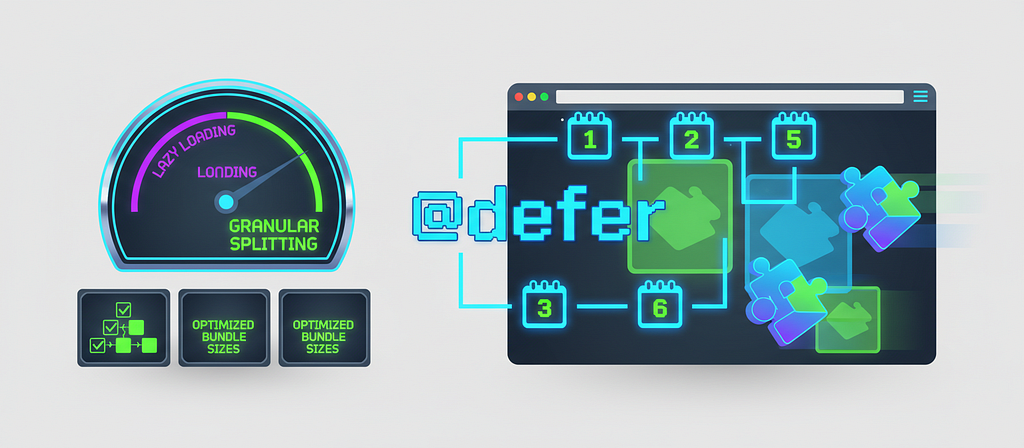
Here’s Exactly How I Implemented @defer for Granular Code Splitting in Days — Step-by-Step

Here’s Exactly How I Implemented @defer for Granular Code Splitting in Days — Step-by-Step Picture this: you slash your Angular app’s initial bundle by 40% in days, loading those heavy charts only when users scroll down — no routing headaches required. Angular’s @defer (dropped in v17) is your new best friend for smart, template-level lazy loading of standalone components, directives, and pipes—perfectly teaming up with router lazy loading to crush Core Web Vitals like LCP.​ Whether you’re a beginner dipping into @defer magic, an expert tweaking performance, or a stakeholder chasing that ROI from snappier apps, this guide's got you. We'll roll through hands-on steps, code snippets, killer triggers (viewport scrolls, button clicks), placeholder tricks to kill layout jank, and error-handling smarts—skipping compiler deep dives.​ Ready to prefetch on idle, render on hover, and watch your app fly? Let’s dive in and supercharge your Angular game! @defer Fundamentals and Setup Angular’s @defer block is a game-changer for performance, letting you split heavy template sections—like charts or dashboards—into separate JavaScript bundles that load only when triggered by events such as viewport entry, user interaction, or browser idle time. This slashes your initial payload, speeding up Largest Contentful Paint (LCP) and overall app startup, especially in large single-page apps where not every user needs every feature right away.​ Requirements for Success You’ll need Angular 17 or later, as @defer leverages the new control flow syntax and stable deferrable views from Angular 18 onward. Components, directives, and pipes inside the @defer block must be standalone and not referenced elsewhere in the same file—think no sneaky ViewChild queries or imports outside the block, or they'll eagerly load anyway. Transitive dependencies can mix standalone or NgModule-based, but keep placeholders lightweight since their deps load upfront.​ Basic Syntax in Action Kick off with something simple: @defer (on viewport) { <heavy-chart /> } @placeholder { <skeleton-loader /> }. Here, the chart bundle loads when the placeholder hits the viewport, swapping the skeleton for the real deal—triggers like idle (default), interaction, hover, timer(2s), or custom when showLargeChart give you precise control. Add @loading (minimum 1s) for spinners during fetch, or @error { Retry? } for fails, all while prefetching separately via prefetch on idle.​ Verify Your Build Wins Run ng build and scan the CLI output for new chunks like defer-heavy-chart.js—that's your proof the split happened. Fire up the dev server, hit the Network tab in Chrome DevTools, and watch lazy loads kick in on triggers; no extra bundle until viewport or click, confirming a leaner main payload. Pro tip: Test with TestBed.deferBlockBehavior = DeferBlockBehavior.Manual for unit tests simulating states.​ Real-World Starter: Dashboard Magic Wrap a data-heavy dashboard widget in @defer (on viewport; prefetch on idle) { <analytics-widget /> } @placeholder (minimum 500ms) { <chart-skeleton /> } and watch your bundle shrink by 30% or more on complex pages—perfect for below-the-fold metrics that users scroll to. This combo preloads smartly without bloating initial load, delivering buttery-smooth experiences for managers eyeing KPIs without waiting forever.​ Core Triggers and Sub-Blocks Angular’s @defer blocks shine with built-in triggers like idle (default, fires on browser idle via requestIdleCallback), viewport (loads on scroll into view using Intersection Observer), interaction (triggers on click or keydown), hover (on mouseover or focusin), immediate (right after non-deferred content renders), and timer (after specified ms or s). These use the on keyword and support multiple via semicolons as OR conditions, decoupling prefetch from display for smarter loading.​ Prefetching adds punch — load code early with prefetch on idle (default) or others, separated by semicolon from main trigger, so resources wait ready without instant render. Picture an e-commerce dashboard: prefetch heavy charts on viewport entry, but show only on "View Analytics" button click—users get instant charts without upfront bloat.​ Sub-Blocks for Seamless UX @placeholder shows initial eagerly-loaded content (keep it lightweight—no heavy deps), with minimum 500ms to dodge flicker on fast networks; it's required for some triggers like viewport needing a single root. @loading kicks in post-trigger (replacing placeholder), eagerly loaded too, with after 100ms; minimum 1s params to time it right—wait before show, ensure min display.​ @error handles fetch fails gracefully, also eagerly loaded for quick fallback display. Wrap in aria-live="polite" for screen reader announcements during swaps. Custom Triggers with when For bespoke logic, when takes signals or expressions like @defer (when isVisible())—one-time truthy check, no revert. Combine with prefetch: @defer (when userClicked(); prefetch when dataReady) for total control. In dashboards, signal on data fetch complete triggers charts post-interaction.​ Advanced Patterns and Optimization Mastering @defer goes beyond basics—it's about smart strategies that squeeze every millisecond from your app's performance. Think of it like a traffic controller for your JavaScript bundles: directing heavy loads only when needed, avoiding pile-ups that slow everything down. Let's dive into pro techniques that deliver real-world wins.​ Nested @defer and Cascading Avoidance Nested @defer blocks let you layer lazy loading for complex UIs, but stack them wrong and you trigger cascading requests—multiple bundles firing simultaneously, tanking load times. The fix? Stagger triggers: use viewport for outer blocks and interaction for inners. Combine with @if for post-load toggling, like hiding loaded content until a condition flips true. This keeps your LCP snappy while giving granular control.​ @defer (on viewport) { @defer (on interaction) { <heavy-chart /> } @placeholder { <div>Click to expand</div> }} @placeholder { <section>Scroll to see more</section>}@if (isExpanded) { <summary-panel />} SSR/SSG and Hydration Magic In SSR or SSG, servers render @placeholder content (or nothing), skipping triggers since there's no viewport or idle state. Client-side, hydration kicks in, firing your configured triggers to make it interactive. Enable Incremental Hydration with hydrate on triggers for server-rendered main content—perfect for SEO without bloating client bundles. Pro tip: pair prefetch on idle to preload before hydration.​ Bundle Analysis and HMR Pitfalls Quantify @defer wins with source-map-explorer: install via npm i -D source-map-explorer, build with ng build --source-map, then run npx source-map-explorer dist/**/main.js for interactive treemaps showing chunk breakdowns. You'll see main bundles shrink as heavy standalone components split off—more accurate for Angular than alternatives. Watch for HMR gotchas—development servers eager-load all @defer chunks, ignoring triggers; disable with ng serve --no-hmr for accurate testing. Pitfall avoided, gains measured.​ Tools for Measuring @defer Bundle GainsAccessibility with ARIA Live Regions Screen readers miss @defer swaps—users hear placeholders but not loaded content. Wrap blocks in aria-live="polite" aria-atomic="true" divs to announce transitions automatically. This keeps deferred UIs inclusive without extra JS, ensuring managers love the perf and the ethics.​ <div aria-live="polite" aria-atomic="true"> @defer (on hover) { <user-profile /> } @placeholder { Loading profile... }</div> Real-World Case Study One team slashed a 2MB Angular app into granular @defer splits: charts on viewport, analytics on interaction. Result? Production LCP under 2s, CWV scores soaring. They measured with bundle analyzer, staggered nests, and added ARIA—proving @defer scales from dashboards to enterprise dashboards.​ Key Takeaways @defer blocks deliver template-level code splitting through smart triggers like viewport, interaction, and idle, automatically creating separate JS chunks for standalone components, directives, and pipes — slashing initial bundle sizes and boosting Core Web Vitals such as LCP by up to 20–50% in real-world apps when paired with standalones.​ This isn’t just theory: developers report main bundles dropping significantly (e.g., heavy chart components or third-party libs deferred until needed), leading to faster TTI and smoother user experiences without complex routing setups.​ Unlike simple @if hiding — which still downloads everything — @defer truly lazy-loads, prefetching on demand while handling placeholders, loading spinners, and errors gracefully.​ Get Hands-On Now Fork this interactive @defer demo repo and implement a viewport-triggered heavy component today: github.com/ducin/angular-defer. Run ng build --source-map, analyze your bundle with source-map-explorer (npx source-map-explorer dist/**/main.js), and share those before/after stats in the comments—expect noticeable drops in main chunk size!​ Dive Deeper Explore the official Angular docs for full trigger syntax and SSR nuances. Check Angular University’s complete guide for prefetch patterns and custom when conditions. For advanced tweaks, pair with signals to build reactive triggers that respond to user data flows.​ P.S. If you’re building a business, I put together a collection of templates and tools that help you launch faster. Check them out at ScaleSail.io. Might be worth a look. ScaleSail | Angular Automation Tools & SaaS Landing Page Templates Thanks for Reading 🙌 I hope these tips help you ship better, faster, and more maintainable frontend projects. 🛠 Landing Page Templates & Tools Ready-to-use landing pages and automation starters I built for your business.👉 Grab them here 💬 Let’s Connect on LinkedIn I share actionable insights on Angular & modern frontend development — plus behind‑the‑scenes tips from real‑world projects.👉 Join my network on LinkedIn 📣 Follow Me on X Stay updated with quick frontend tips, Angular insights, and real-time updates — plus join conversations with other developers.👉 Follow me Your support helps me create more practical guides and tools tailored for the frontend and startup community. Let’s keep building together 🚀 Here’s Exactly How I Implemented @defer for Granular Code Splitting in Days — Step-by-Step was originally published in JavaScript in Plain English on Medium, where people are continuing the conversation by highlighting and responding to this story.

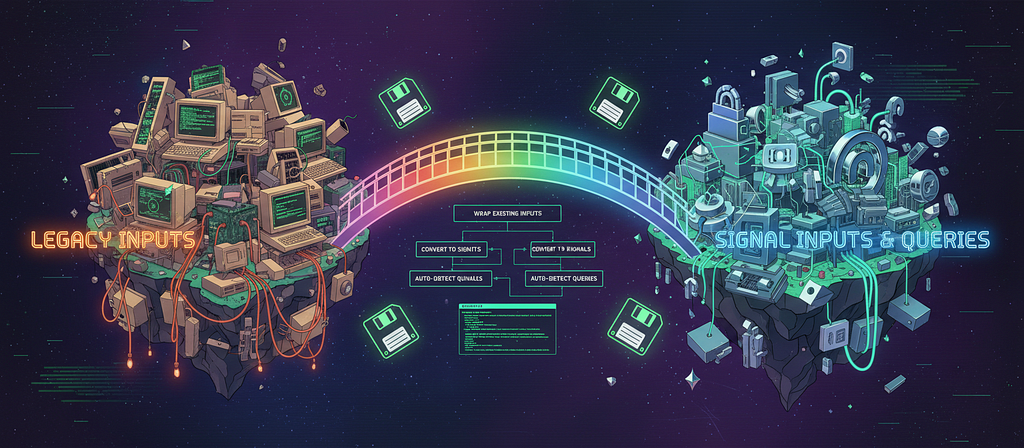
How To Migrate to Signal Inputs and Queries Without Rewriting Your Templates

Hey, let’s talk about why reactive programming — and especially Angular’s signals — are blowing up right now. You’ve probably noticed how apps need to feel snappier and more responsive these days, right? Signals make that happen by letting your Angular code react to data changes automatically, cutting out a ton of the old-school hassle with change detection. So, quick rundown: Signal inputs are like smart inputs that feed reactive data straight into your components, and signal queries let you pull and react to derived stuff from those inputs. They’re a big deal because they make your apps predictably fast and way easier to manage — no more wrestling with endless subscriptions or zone.js quirks. If you’re an Angular dev or tech lead itching to modernize without ripping apart your templates, you’re in the right spot. We’ll dive into migration tricks that keep your existing views intact, so you can upgrade efficiently and get those wins without the headache.​ Understanding Signal Inputs and Queries in Angular You ever get tired of Angular’s old-school data passing feeling like a chore? Yeah, me too. That’s where signal inputs and queries come in — they’re the new, smooth way to handle inputs and grab child elements, all with built-in reactivity that keeps things zippy. No matter if you’re coding all day or just overseeing the team, this stuff makes apps faster and way less buggy. Let’s dive in and see why everyone’s switching over.​ What Are Signal Inputs and Queries? Hey, let’s talk about signal inputs and queries in Angular — they’re game-changers for passing data around and grabbing references to stuff in your components. Signal inputs use the input() function instead of the old @Input() decorator, giving you a reactive value that updates automatically when the parent changes it. And queries? Think viewChild() or contentChild()—they replace @ViewChild and @ContentChild, handing you back a signal that stays fresh without all the lifecycle hook hassle.​ You know how traditional inputs meant hooking into ngOnChanges and dealing with Zone.js firing off change detection everywhere? Signals fix that mess. They make state super reactive, so only the parts that need updating actually do—pair them with computed() or effect(), and your app feels snappier, especially as it grows. No more guessing when things update; it's all predictable and fine-grained.​ Why They’re a Big Upgrade Picture this: old-school inputs could trigger full tree scans for changes, slowing things down. Signals? They mark OnPush components dirty only when needed, ditch ngOnChanges, and work zoneless for even better speed. Queries give you live signals instead of static lists, so you access kids reactively—no subscriptions or manual checks required. The perks hit hard: less code, easier debugging, and performance that scales, which managers love for real-world apps.​ Plus, you’ve got handy options like required, alias, or transform right in the API. It cuts boilerplate and makes your components cleaner. Stakeholders get why this matters—fewer bugs, faster UIs, and dev teams move quicker.​ Seeing Them in Action Want to see it? Here’s a quick child component grabbing a count from its parent: import { Component, input, computed } from '@angular/core';@Component({ selector: 'app-counter', template: `<p>Count: {{ doubledCount() }}</p>`})export class CounterComponent { count = input.required<number>(); doubledCount = computed(() => this.count() * 2);} Just bind it like <app-counter [count]="parentCount"></app-counter>. Boom—changes flow instantly. For queries, say you need an input field: import { Component, viewChild, ElementRef } from '@angular/core';@Component({ selector: 'app-search', template: `<input #searchInput />`})export class SearchComponent { searchInput = viewChild.required<ElementRef<HTMLInputElement>>('searchInput'); focusSearch() { this.searchInput().nativeElement.focus(); }} Content queries work the same for projected kids. Simple, right? Less fuss, more power — you’ll wonder how you lived without ‘em. Migration Strategies Without Template Rewrites Look, migrating your old Angular templates to signals doesn’t have to mean ripping everything apart and starting over. Signals make your app snappier, easier to manage, and way more reactive — perfect for keeping things modern without the chaos. In this chapter, we’ll dive into straightforward strategies that let you wrap, adapt, and mix signals into your legacy code with barely a template tweak. Stick around for practical steps and a real dialog example that shows it all in action.​ Why Migrating Legacy Templates to Signals is Tricky Hey, let’s talk about the real headaches when you’re trying to shift old Angular templates over to signals. The big issue? Signals need that () to read them—like count()—but your legacy templates just use plain properties without it. Messing with templates directly can break everything in a huge app, spark a testing nightmare, and even tank production if your inputs get mutated weirdly or tie into ngOnChanges. That's why smart folks focus on tweaking the TypeScript side first, leaving your HTML alone.​ Approach 1: Wrap Inputs and Queries in Signals Start simple: wrap your old @Inputs and @Outputs, plus those ViewChild queries, right into signals—without touching the templates at all. Fire up Angular's schematics with ng generate @angular/core:signal-input-migration, and it'll swap safe inputs to input() signals automatically. It flags risky mutable ones with TODOs if you add --insert-todos. For queries, grab ng generate @angular/core:signal-queries-migration --best-effort-mode to link @ViewChild to viewChild(), and boom—your templates keep binding like nothing changed.​ Approach 2: Adapters and Helpers to the Rescue Don’t want to invoke signals everywhere? Whip up quick adapters or getters to make them act like regular properties. Something like get openState() { return this.openSignal(); } lets your template use [open]="openState" no sweat. Or lean on @angular/core/rxjs-interop with toSignal for observables—legacyData = toSignal(this.observableData$)—ditching the async pipe. Helpers like linkedSignal can even compute derived stuff reactively on the fly.​ Approach 3: Go Incremental and Hybrid Nobody migrates a whole app overnight, right? Mix signals with your legacy code piece by piece — maybe one module via ng generate @angular/core:signal-input-migration --path=src/app/feature. New kid components get signals, parents stay legacy, and Angular's fine-grained tracking keeps things zippy without zoneless drama. Slice it up, test as you go, and use VS Code refactors for @Input to input() swaps plus effect() for side effects. Stability first!​ Real-World Example: A Simple Dialog Toggle Picture this: you’ve got a legacy dialog with @Input() open: boolean; and a parent template like <app-dialog [open]="isOpen">, toggling via this.isOpen = !this.isOpen. Migrate by adding isOpen = signal(false); and that getter get isOpenState() { return this.isOpen(); }, then toggle with this.isOpen.update(v => !v). Template? Untouched. Add effect(() => console.log('Dialog:', this.isOpen())) for fun, and schematics handle most of it—your app's now signal-powered with zero HTML fuss.​ Best Practices and Tooling Support Hey, migrating to Angular Signals doesn’t have to be a headache. You can lean on Angular’s built-in schematics to handle the basics — like swapping inputs and queries — then tweak the tricky bits yourself. This way, you snag those sweet performance boosts from smarter change detection without wrecking your legacy code.​ Smart Patterns to Follow Look, start small: tackle simple inputs and queries first with the automated tools. For anything fancier, like RxJS streams or nested data, go manual and keep things immutable — tools like Immer make that a breeze by letting you “mutate” safely.​Don’t write directly to signal inputs (it’ll bite you), and use toObservable() to bridge signals back to RxJS when needed. Oh, and always chase down those schematic TODOs right away—they're your roadmap to pitfalls avoided.​ Tools That Make It Easy Angular’s CLI has your back with schematics that do the grunt work. Fire up ng generate @angular/core:signal-input-migration --best-effort-mode to flip @Input() to input(), and it'll flag anything sketchy with TODOs.​Same for outputs (signal-output-migration) and queries (signal-queries-migration—use --path to target folders).​Stuff like ngxtension helps keep your input names intact too. No more copy-paste nightmares.​ Testing It Right You gotta test like your app depends on it — which it does. Mock signals in unit tests with toSignal() for observables, then fire up Angular DevTools to eyeball those change detection wins (fewer cycles, happier users).​Run your full e2e suite after, hunt schematic reports for weirdness, and manually poke the TODO cases. Right? Performance graphs don't lie.​ Step-by-Step Workflow Bump to Angular 19+: ng update @angular/cli @angular/core. Easy start. Hit the schematics in order: inputs, outputs, queries. Safety flags on. Hunt TODOs, swap RxJS where it fits. Test hard — units, perf, e2e. Roll out bit by bit, watch prod for zoneless vibes if you’re going there.​ Conclusion Using Signal inputs and queries in your Angular apps is a smart move. They make your app faster and easier to maintain by letting you react smoothly to changes in data. This approach helps your app feel more responsive, which improves the user experience. You don’t have to switch everything all at once. Try adding Signals little by little in parts of your app that need the most attention. This way, you avoid big rewrites and can see benefits as you go, keeping your project stable and moving forward. If you want to learn more, check out Angular’s official docs and tutorials on Signals and reactive programming. There are plenty of guides and articles that break down the concepts and show practical examples to help you get comfortable with this modern Angular style. P.S. If you’re building a business, I put together a collection of templates and tools that help you launch faster. Check them out at ScaleSail.io. Might be worth a look. ScaleSail | Angular Automation Tools & SaaS Landing Page Templates Thanks for Reading 🙌 I hope these tips help you ship better, faster, and more maintainable frontend projects. 🛠 Landing Page Templates & Tools Ready-to-use landing pages and automation starters I built for your business.👉 Grab them here 💬 Let’s Connect on LinkedIn I share actionable insights on Angular & modern frontend development — plus behind‑the‑scenes tips from real‑world projects.👉 Join my network on LinkedIn 📣 Follow Me on X Stay updated with quick frontend tips, Angular insights, and real-time updates — plus join conversations with other developers.👉 Follow me Your support helps me create more practical guides and tools tailored for the frontend and startup community. Let’s keep building together 🚀 How To Migrate to Signal Inputs and Queries Without Rewriting Your Templates was originally published in JavaScript in Plain English on Medium, where people are continuing the conversation by highlighting and responding to this story.